


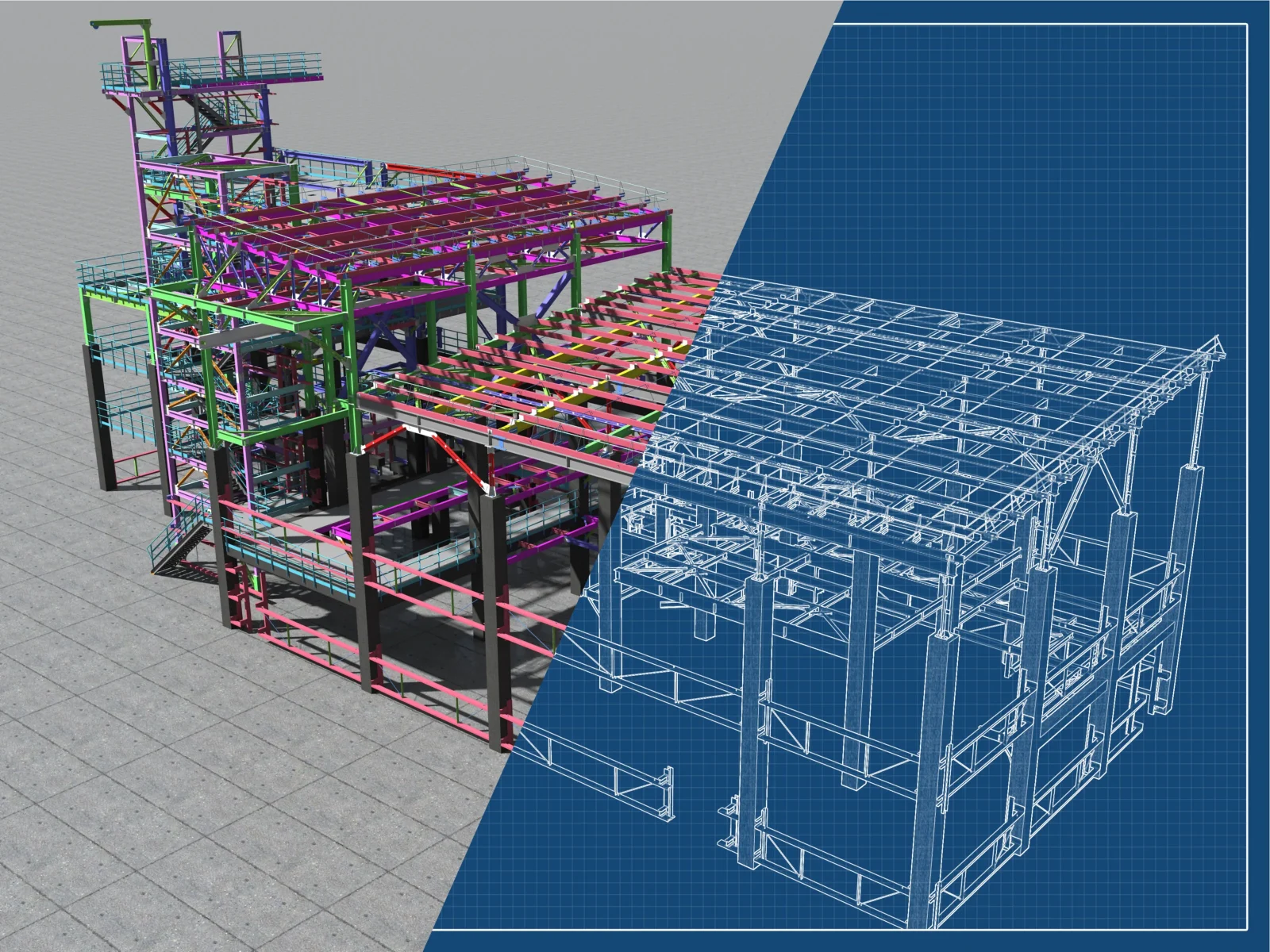
BIM keeps a project coordinated with who builds what, where, and when. CAE, powered by FEA, proves the structure will perform as expected. When these two work in sync, you reduce risk, speed approvals, and avoid costly fixes late in the schedule.
Who needs to understand what?
BIM teams architects, designers, coordinators, project managers own the live model, clashes, quantities, and schedule. They don’t have to run simulations, but they do need to understand what FEA checks and how results change the model. Engineering teams run the analyses, comparing results according to the standards, and tell you what meets the code criteria and what needs a design change. Managers decide when to bring FEA into the plan and what outputs are required to keep the project moving.
What happens after modeling
The flow is straightforward. When you model in BIM, the relevant parts are prepared for analysis exported, simplified where it helps, and paired with the loads and combinations your project uses. Engineers run FEA to see how the structure behaves: where it bends, where it could buckle, and where time and cycles may cause fatigue. Those results are compared to the applicable standards of Eurocode, AISK, AIJ, FKM, VDI, and others using clear acceptance criteria.
The outcome is a set of decisions: thicken here, stiffen there, add bolts on that connection. Those decisions go back into BIM, then you move to drawings, budget, procurement, and construction. The practical way to run this is with structural analysis software that turns your agreed loads and combinations into FEA results: stresses, deflections, utilization/safety factors, fatigue life, plus a clear change list (e.g., thicken plate, add stiffener, resize bolts/welds) you can apply in BIM the same week.
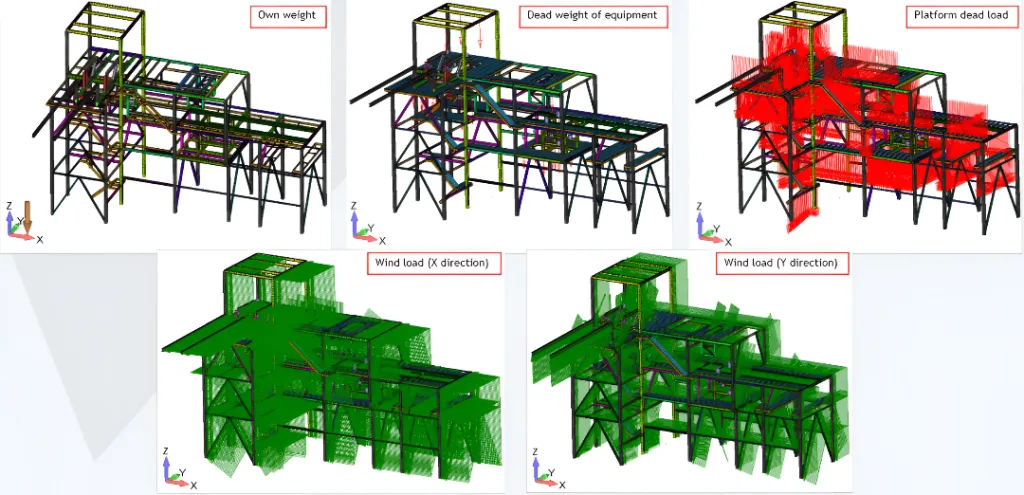
Alt – Five visuals of a steel frame with own weight, equipment, platform load, and wind in X/Y.
Reality: BIM and FEA aren’t one-click synced. You export the model for analysis, run FEA, get clear results and a short design-change list (e.g., thicken plate, add stiffener), then apply those edits in BIM. The goal is speed, clarity and outputs you can act on this week.
Why standards matter?
Bridges, water tanks, tunnels, underground and parking structures are regulated for a reason. It’s not enough to say, “it looks strong.” Approvers and insurers expect evidence: which loads were used, which combinations were tested, which criteria applied, and what passed or failed. Early verification costs less than late fixes. Finding a thin plate or an unstable member before fabrication is cheaper, and safer, than patching it on site while the schedule is breathing down your neck. You don’t need FEA on every detail; you need it where failure would be costly or risky, or where the standards demand formal verification.
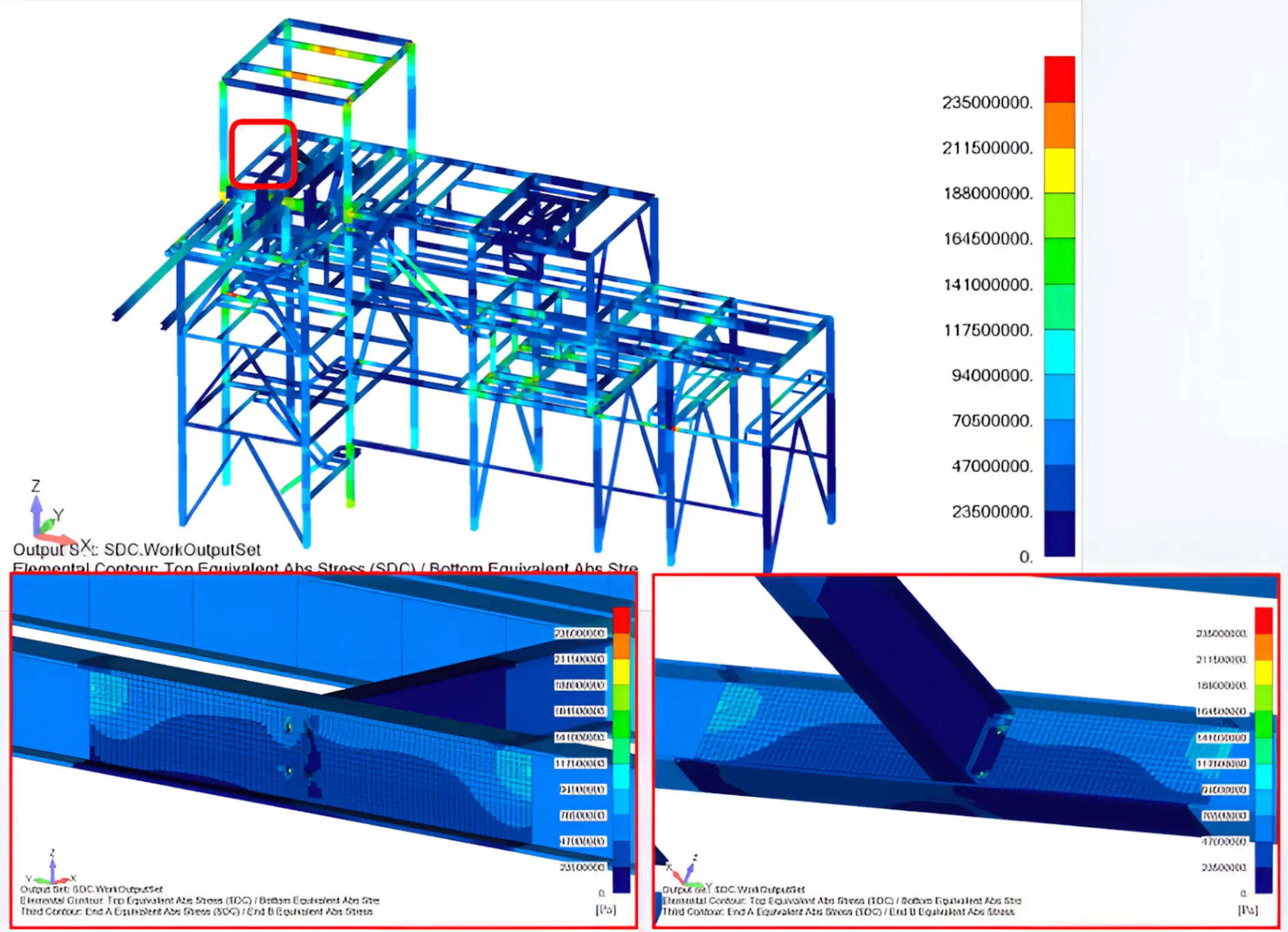
What BIM and PM teams should expect
Make FEA outputs usable and fast to implement and align on these four points:
- Standards and pass criteria. Name the codes in play and define “pass” up front (e.g., utilization ≤ 1.0; deflection within L/… limits; fatigue life ≥ target).
- Plan the FEA slot. When it happens, how long it takes, budget, and who runs it.
- Deliverables. One concise report listing: checked loads/combos; FEA results (stresses, deflections, utilization/safety factors, fatigue life); pass/fail per combo; a prioritized design-change list (e.g., thicken plate at B3, add stiffener at J4, resize M20 bolts).
- Actionability test. If the team can’t apply changes in BIM based on the report, the output isn’t good enough.
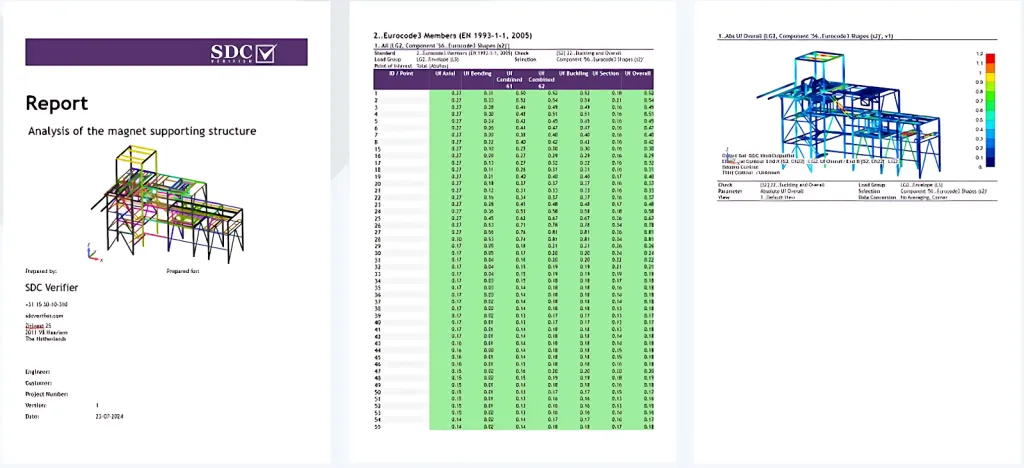
Alt: Report cover, Eurocode member check table, and utilization plot
Many projects don’t share a single CAE platform across all partners. That’s where a focused verification tool helps. SDC Verifier sits in the verification step: it imports models or meshes from common FEA/CAD formats (Nastran, Abaqus .inp, ANSYS .cdb, UNV, STEP/IGES/Parasolid/STL), automates checks typical for steel-heavy work (strength at ULS/SLS, buckling, fatigue, bolts, welds), and ties results to the standards you select. Loads and combinations are tracked, so what the plan calls for is precisely what gets checked. The report is designed for reviewers, featuring tables and plots with references to the specific clauses used, making the logic easy to follow and sign-off quicker.
Once a workflow is proven, you template it and reuse it across similar projects. If your partners, or team already use Ansys, Femap, or Simcenter, SDC Verifier also integrates with these platforms. It does not plug directly into BIM authoring tools; you import and set up models for verification, then push decisions back into BIM as controlled changes. That’s the fast, realistic way to operate today.
| What FEA buys you — in plain terms Early risk detection — find weak spots; leaner material use by reinforcing only where needed; faster reviews because reports speak the language of standards; and repeatability as templates make the second and third project faster than the first. |
A practical plan for next projects
Set a clear handoff rule: at what BIM maturity you trigger FEA (for example, when key members and materials are fixed). Publish a single catalog of loads and combinations with versioning so analysis isn’t guessing. Create one SDC verification template for your main standard and a typical joint or plate; prove it once, then reuse. Finally, agree with reviewers on the report format they’ll accept up front, a concise pass/fail summary, and a short list of required design changes.
Bottom line.
BIM keeps everyone aligned. CAE/FEA supplies the proof. Add standards-based verification and reporting with SDC Verifier software. You turn that proof into a repeatable routine that saves time, cuts rework, and makes approvals less adversarial, so you move from a coordinated model to a buildable design without gambling the schedule.
Explore Courses
.jpg "Architecture Diagram Mastery: Concept to Portfolio")
.jpg%202.jpg "Building Performance with Forma & Opossum")

.jpg "Ondrej Chybik - Rethinking Architecture")